FBI email scam…how ingenious…Not
This is too funny and is first for me. Today I received this email supposedly from the FBI. I’m not an expert on the FBI but something tells me that they do not send emails notifying beneficiaries of large sums of money. Call me stereotypical but I seem to believe that they are black tie, badge flashing, sun glass wearing, gun packing dudes that drive blacked out Suburbans. Not the email sending, money giving out, ATM address requesting computer guy. Something just does not fit does it? Here is some of the email:
We the Federal Bureau of Investigation (FBI) United States of America have discovered through our intelligent monitoring network that you have a transaction going on as either inheritance payment, Lottery or contract payment in a tone of Millions of United States Dollars which have been approved but have not been settled.
This is to officially inform you that we have verified your contract / inheritance file after close monitoring and found out why you have not received your payment, both on your part and on the part of your debtors.
My personal favorite in the email:
A COPY OF YOUR INTERNATIONAL PASSPORT
No problem, I will get right on that. Not! These types of scam emails are common place in the tech age but being able to identify scams fast can save a lot of time and avoid a lot of turmoil. So here are five things to look for when determining if an email is real or phony bologna.
1. Is the sender more than likely to send large amounts of money to people they never met via the internet? Probably not. Large sums of money are usually handled more professionally, with credentials and proof of association with the sum of money. If it looks fake, it probably is fake.
2. Are there links in the email? Emails sent with links in the body of the text are more than likely masking their true destination. In the image below, the sender is trying to get me to login into my Paypal account, using fear tactics, and cancel the transaction. The links are fishing for login information and 100% fake. If you see these emails and you’re not sure if it is legit or not simply hover the mouse cursor over the link and the true destination is revealed.
3. Who is the sender of the email? Take a look at the email address and evaluate it. Does it look legit or are their special characters, names misspelled and/or is it from something non-related to the email content. I have seen them as close as service@paypal.com to adr76yadf@pacypal.com so be in tune with variations and adaptations.
4. Look at the subject line. Is there obscene verbage (obscene language doesn’t mean your kid has been at porn site), special characters, fear tactic remarks (ex: Your account has been suspended) or does it say “RE: Thanks for your recent inquiry” and you have not made a recent inquiry on any website.
5. Check out the verbage in the email. Are there phrases like “Attn: Honorable Beneficiary” and “Faithfully Your’s” throughout the email? I mean, who talks like that? No one I have ever met and this includes traveling abroad. If an email is using phrases and words that are completely out of the norm then something is suspicious about the email.
By taking the time to check these 5 items in an email you can avoid falling victim to email scams. W are constantly being told not give out usernames and passwords on the internet and it is a simple practice that keeps you safe and secure online. Just a simple precaution to protect one’s identity and retain peace of mind while on the internet so surf safe and be skeptical.
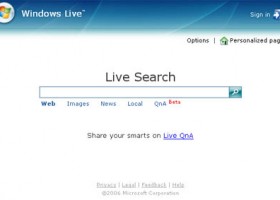
Why Live Search is failing Microsoft
Everyone who follows online search is familiar with the competitive nature of the industry. The big three, Google, Yahoo and Microsoft, compete heavily to deliver the most accurate search results on a given query. That is why Microsoft made the half assed attempt to takeover Yahoo. As it sits, Google controls search, period, and that translates into many eyes balls using search as their online starting place.
With Microsoft the failure has not been due to their Live Search strategy but with the results search queries render. It was actually showed me through a routine search using Live Search. During game play on LOTRO, I tabbed out to a browser for a quick search and instead of using the Google search bar I used the Live Search on MSN’s homepage.
The search term was “lotro maps” (minus quotes) and I fully expected to see query to render highly similar to those found on Google. Quite the opposite actually. Using Google, a listing is generated for a site pointing to a webpage that is hosting dynamic map of LOTRO worlds. The page is everything pertinent for the search term and gives users the best results for the query. On the other hand, Live Search rendered a site that is setup as a gold spam site which focuses on keyword stacking to emphasize authority for the search term.
Search Results
- Google
- Live Search
The top listings display two totally different results. Live Search seems to put to much emphasis on the number of times the keyword are placed on the page. Google on the other hand displays a result that is highly relevant to the query and that result that has minimal keyword density, if any, on the page. I am no rocket scientist but the Live results seem to have no relevance to the query.
Another area to analyze is Microsoft’s correlation between search term and website’s url (also can be viewed in the previous example). This example looks at the search term “click here” (minus quotes).
Search Results
- Google
- Live Search
Google still basis a lot of importance on the number of incoming links coming to a website and as a result Adobe ranks #1 for “click here”. Adobe has so many links to its website with the anchor text “click here” because so many sites link to their download page as a precaution if their users do not have Adobe Acrobat. Microsoft seems to feel the domain name clickhere.com is more important. But like in the first example, more emphasis is being put on the domain name that relevant incoming links.
The last reason why Live Search is not working for Microsoft is that they are over diversified and not focused on solely on search. Windows and Office have been the work horses for Microsoft for many years and the foundation in which it has created its massive empire. But search has never been Microsoft’s primary focus like other tech companies have made it. This over diversification does not allow Microsoft to isolate and focus on the variables that comprise a useable search.
That is why Live Search is failing Microsoft. They cannot get their algorithm right to display the most accurate results for a specific query. The domination of search, or the quest to dominate search, will not end anytime soon and providing more relevant searches is going to be harder for Microsoft if they can not get it together soon.